
If you are searching for online methods to check your Du Data SIM balance? You’re in the right place. Here in UAE we have two two telecom companies operating one is Du and another is Etisalat. Please follow this guide we’ve provided for both postpaid and prepaid lines if you want to find out how to check your remaining balance credits. Read if you want to check Etisalat balance.
How to Check DU Balance
Here in this guide, I will show 3 ways to check your du balance. If you are using a du prepaid sim card and want to check your balance on your phone. I’ll demonstrate how to achieve that using an SMS message, a USSD code, and an App. Numerous options are available, including online, offline, via SMS, and USSD codes. However, follow this guide.
Ways to Check Du Sim Balance
Any of the methods listed below can be used to quickly check your DU prepaid SIM remaining balance.
1. Check DU Balance by Code
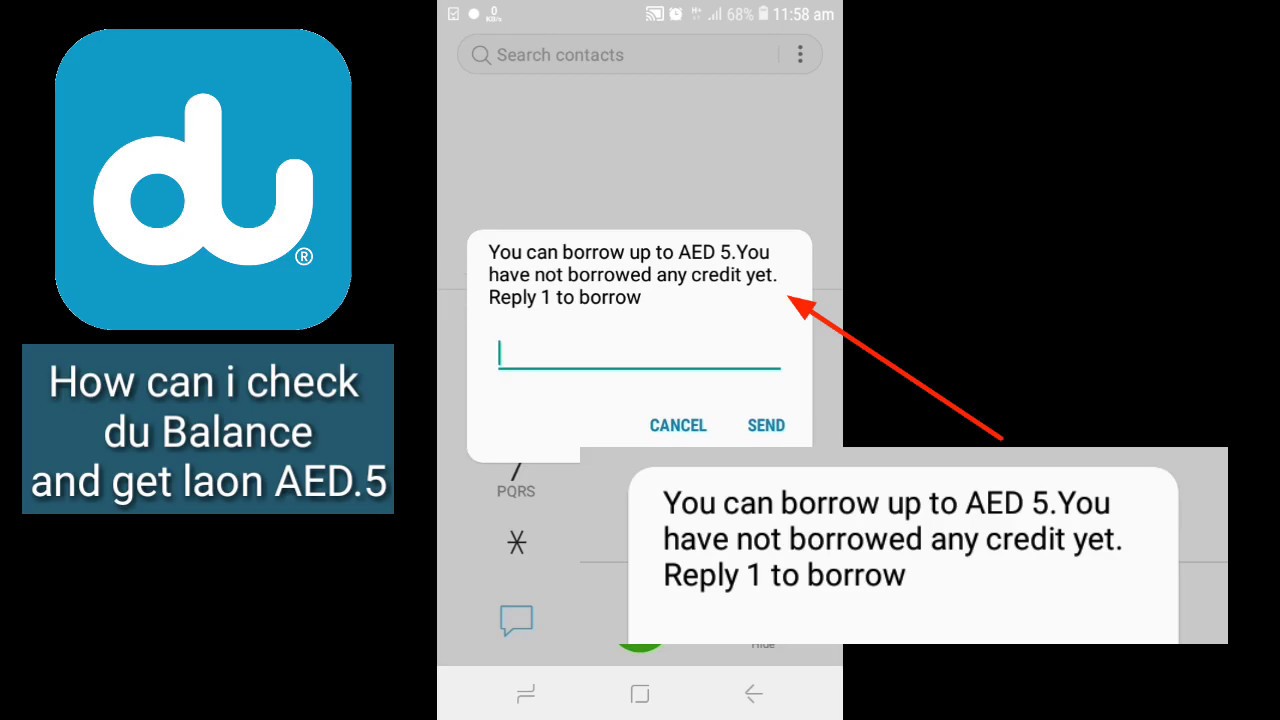
There are several methods you can use to check your du balance. The use of a USSD code is the easiest method. Simply dial *135# and then click the send Balance Inquiry to accomplish this. Your balance will then be shown on your screen.
2. Check Du SIM Balance by SMS
Sending an SMS is another method to check your du sim balance. To do this, just text the word “balance” to the number 1335. Du will then send you an SMS with details on your balance.
3. Check Du Balance Inquiry Online
Finally, you can access the Du online web portal to check your balance. To access the “My Account” option, simply login to your account. On this page, your balance will be shown.

4. Check Du Balance by App
The steps listed below can be used to check your du balance using the app:
- First Download and install the app from Play Store or App Store.
- Then launch the app and log in by entering your username and password if you don’t have an account then create an account.
- Once you have successfully logged in, you will be able to see your available balance.
How to Check Du Prepaid Data Balance
By phone dialer, SMS, or app, you can activate or check the remaining du prepaid data balance. Let’s examine these strategies.
By Code: To check the balance of your du data, first, dial your phone. dail *102# from your phone and Your data balance will display on your screen.
By SMS: To check by SMS, similarly, open your message app and enter “balance”. Wait a few seconds after sending the inquire message to 1335. All Details about Du prepaid data balance will be sent to you via SMS.
By App: Finally, the du app allows you to view your data balance. Log into your account after downloading and installing the app. On your dashboard, you can see the validity and balance of your du data.
Check Du Postpaid Data Balance Inquiry
Du postpaid Sim card users can easily check their postpaid mobile data balance using one of the following methods:
Method 1. Send “rewards” by typing it and then sending it to 1223.
This is a quick and simple way to check your postpaid or data balance.
Method 2. Check your postpaid data balance online through the portal.
Log in as you would to check your postpaid balance online, then follow the directions shown on-screen.

How to Check Du Number
You might be familiar with your Du sim card or mobile number if you are using a Du Number in the UAE. I’m going to show you three quick ways to check your Du number today. Even if you don’t have any cell credit or balance, you can still do it quickly and easily by utilizing a single USSD code. I know you’re interested in the process, so let’s get started.
Ways to Find Du Number
There are three simple ways to find your Du number. You can, however, choose the path that is easiest for you to take. The best part is that you may check your Du number without using any of your mobile credit. Anyway, let’s check the guide on how to check Du number.
1. Du SIM Number Check Code
Your Du sim number can be checked using a code, which is both popular and simple. Dial *116# on the dial pad, then press the dial button. The phrase “USSD code running” will appear on your screen. Following that, a pop-up notice stating “Your Mobile number is 971XXXXXXXXX” will appear. Take a screenshot of it and record it. You can quickly find your Du sim card number with this method. This action does not require balance.
2. Finding Du Number by Sending an SMS
Get your Du sim number for free shown on your mobile device. All of the United Arab Emirates, including Dubai, Abu Dhabi, Sharjah, Ras Al-Khaimah, Fujairah, Ajman, and Umm al Quwain, are valid for using this approach.
Send “getmymsisdn” to “9296” and you will receive your Du Sim number in a text message.
3. Du Number Check by Missed Call
All you have to do is dial any other UAE-based Du number. Ensure that the SIM card holder is close to you. He will then receive a missed call notification with your Du SIM card number. No Du credit is required. The person will either make a call or only inquire to see your SIM card number. If you are meeting up with friends and need to find your number on the Du network in the UAE, this is a useful method.
4. Know my Du Number by Du Offical App
if you used the Du official app to log in and neglected to give someone your SIM card number. Then On your device, launch the official Du app. Your Du phone number will be displayed in the Dashboard under your name. Additionally, using the Du official application to check the number on your Du sim card is balance not required.

Du Balance Transfer
You can transfer du balance from your mobile phone to any other prepaid subscriber at any time, anywhere. Postpaid customers and those using prepaid wallets on Elite and Emirati plans, as well as mobile prepaid subscribers with Consumer Prepaid Voice plans (Pay As You Go, Alo, New Alo, VML, and Extra Social), are all eligible for this.
We have two methods to transfer du sim balance from one du to another du. We can transfer du credit from du to du by code and by app online. So follow the following methods.
1. Du Balance Transfer by Code

3 Ways of Du Credit Transfer
You can share or transfer your remaining mobile credit to another Du number in the UAE. However, you can only transfer AED 2 to AED 200 in total per transaction. For Du to Du credit transfer, kindly use the following procedure:

You can utilize this feature in any of the following ways:
Method #1:
Dial *121*[recipient mobile number]*[amount in AED]#
Press 1 to confirm the transaction or 2 to cancel
Method #2:
Dial *121#
Enter the recipient’s mobile number
Enter the amount in AED
Wait for the confirmation message for the transaction from du
Method #3
Dial *135#
Choose option 2 for One2One transfer, enter the mobile number followed by the amount in AED to be transferred.
Wait for the confirmation message for the transaction from the du amount in AED to be transferred.
2. Transfer Du Credit using App
The official Du app, which is accessible to iOS and Android users, can also be installed. Share your cell credit with your loved ones by using the pay-for-friends and family option. Log into your account after downloading the Du app. Next, go to the menu and choose the Pay for Friends option. After entering the receiver’s number, enter the AED amount. Then click the Pay button. as soon as the transaction is successfully finished. Du will send you both a confirming message.

Charges on Du to Du Balance Transfer
Please be informed that all du users are eligible to receive their balance while roaming. There is a 15% transaction fee. On another side Sharing your balance with another du number inside the UAE is completely free of charge.
FAQs Regarding Check Du Sim Balance
1. How do I check my data on DU?
To check your data usage you can SMS ‘Rewards’ to 1233.
- Log in to du.ae/myaccount.
- Visit mydata.du.ae.
- Log in to the du app.
2. Can I transfer the credit balance from Etisalat to DU?
Both the phone dial pad and the Etisalat mobile application are available for credit transfers from Etisalat to DU.
3. How can I check the balances of my du Internet prepaid and postpaid services?
Amazing internet services are offered by the network for both prepaid and postpaid balances. Both prepaid and postpaid plans offer a wide variety of call options and internet bundles. Let’s now examine various techniques for examining SIM’s internet services.
First, dial *135# in your phone’s dialer before placing the call. You’ll receive a list of services where you can find internet services after a little interval. You can buy and subscribe to your preferred internet service.
Using the du app and website, you may check the internet services. You can browse the options featured in the mobile plans area of the website.

